MailMapr Logo

MailMapr

Email Viewer, Phishing Detection & Forensic Analysis for macOS

Open. Analyze. Investigate. Report.

macOS 14+ App Store English & Spanish 100% Offline
Download on the Mac App Store

Requires macOS 14.0 Sonoma or later

Built for professionals who handle email evidence

Whether you're investigating phishing, auditing communications, or simply need to open email files

Cybersecurity Analysts

Investigate phishing attacks, detect spoofing, identify IoCs and compromised accounts.

Legal & Compliance

Review email evidence with chain-of-custody. Export forensic reports for legal proceedings.

IT Administrators

Open and view EML/MSG files. Convert between formats. Analyze suspicious emails from users.

Powerful Email Viewer & Converter

No Outlook or email client needed — open any email file directly

View Any Email File

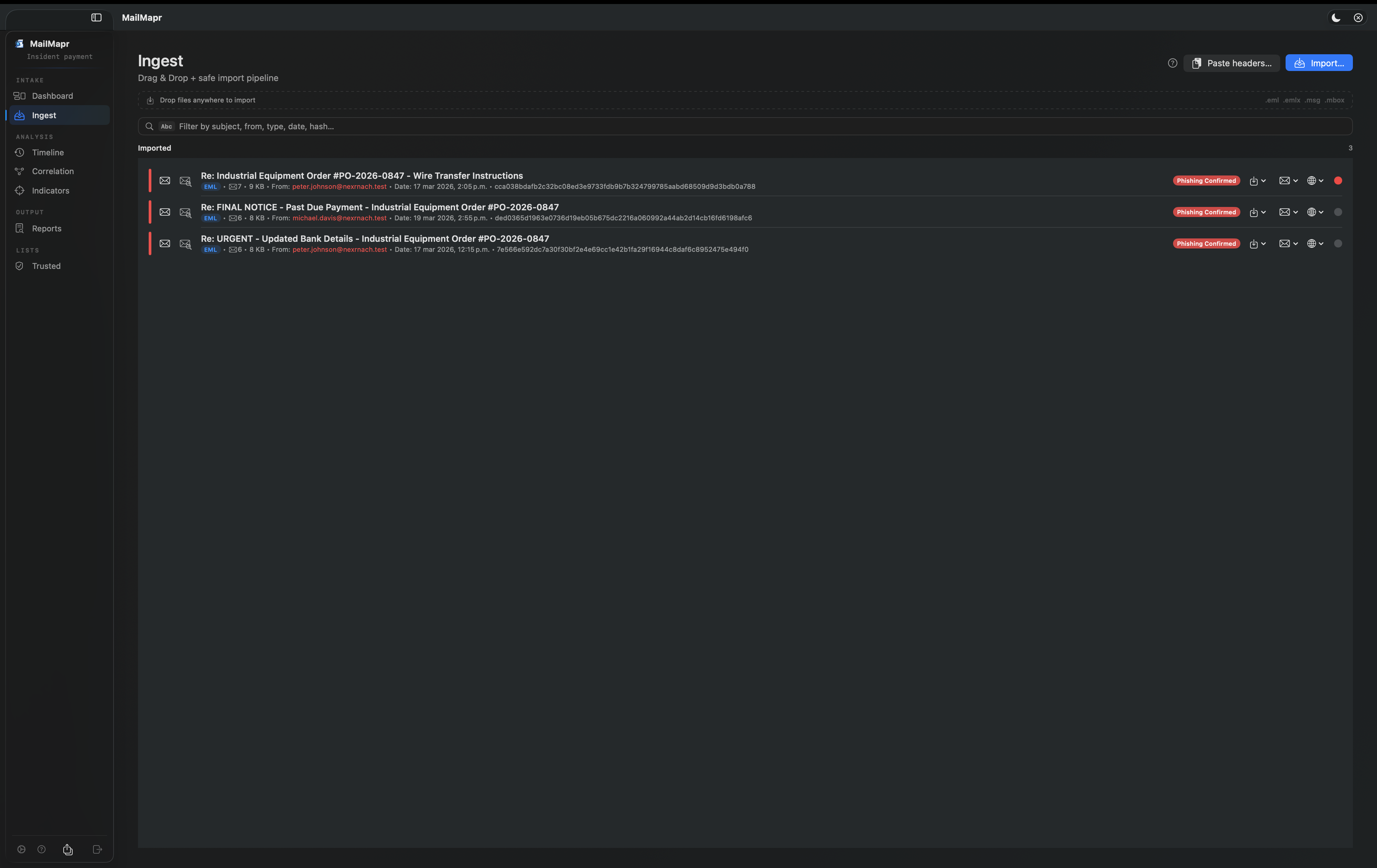
Open EML, EMLX, MSG (Outlook), and MBOX archives without any email client installed. View full message body, headers, attachments, and metadata.

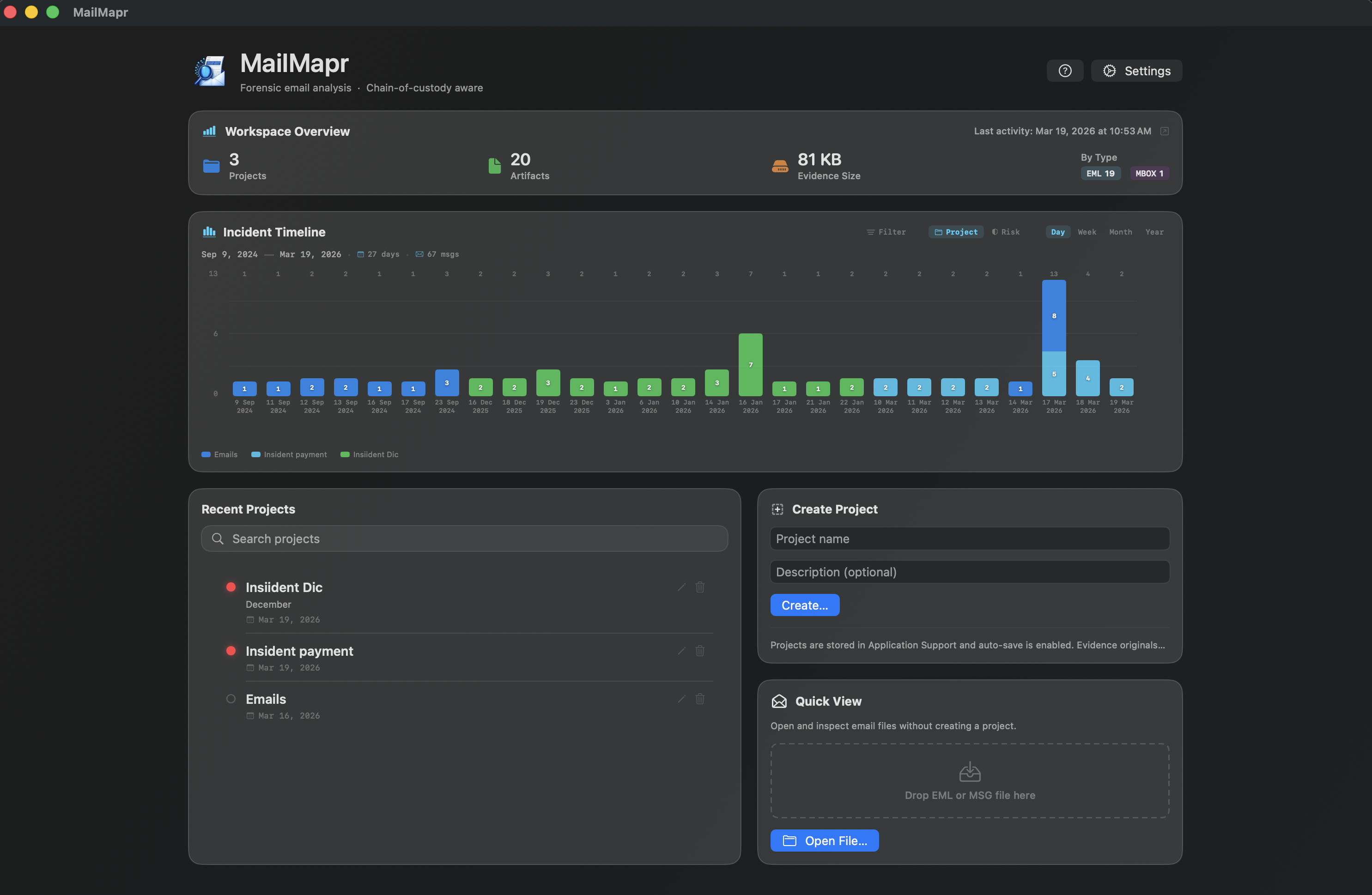
Quick View mode — open and inspect email files without creating a project.

Export & Convert

Export email evidence to PDF for sharing with teams, legal departments, or management. Generate professional forensic reports in HTML and PDF formats.

Batch analysis — import multiple files at once via drag & drop.

.eml .emlx .msg .mbox → PDF → HTML

Deep Forensic Analysis

Everything you need to investigate email-based threats

Phishing Detection

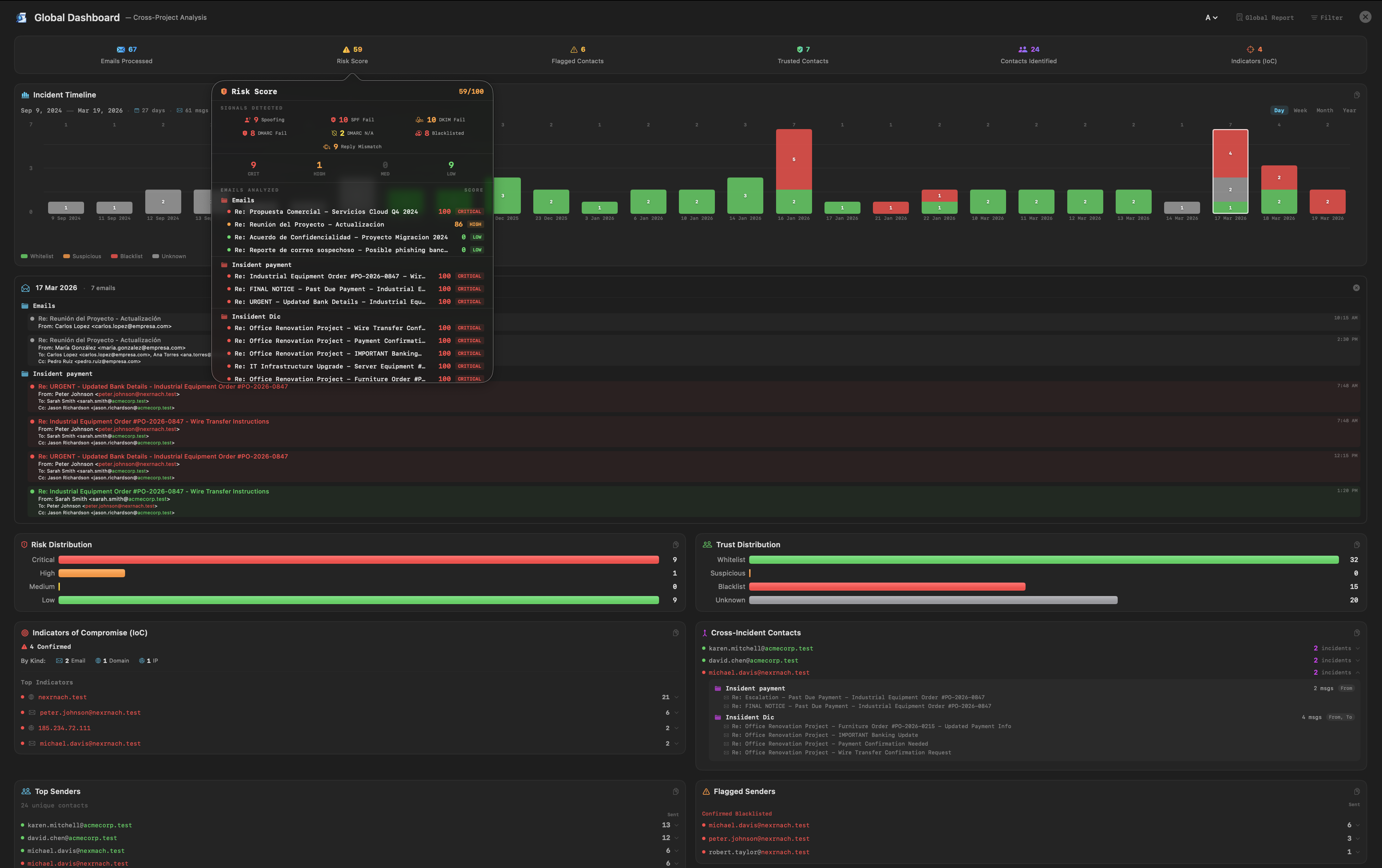
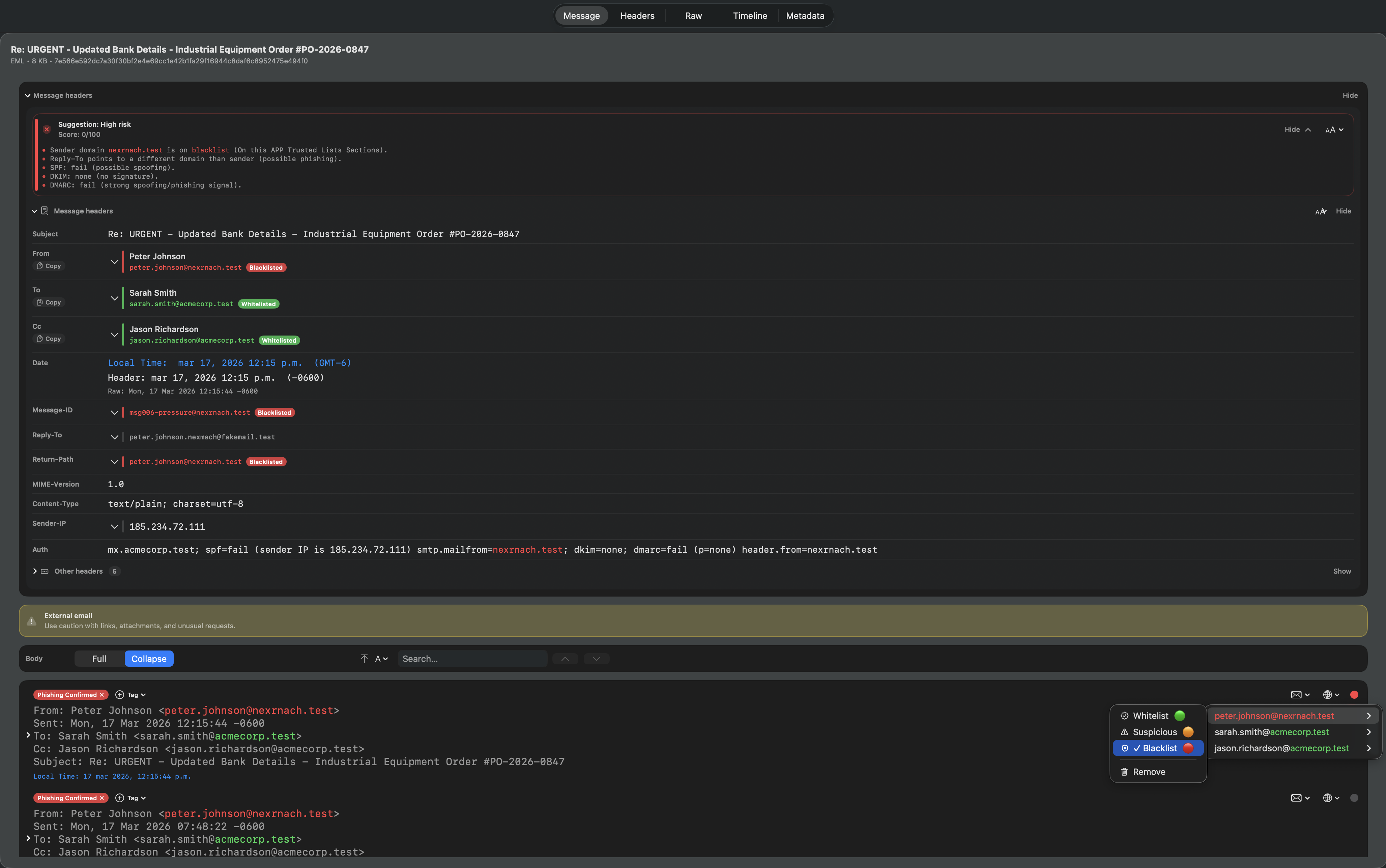
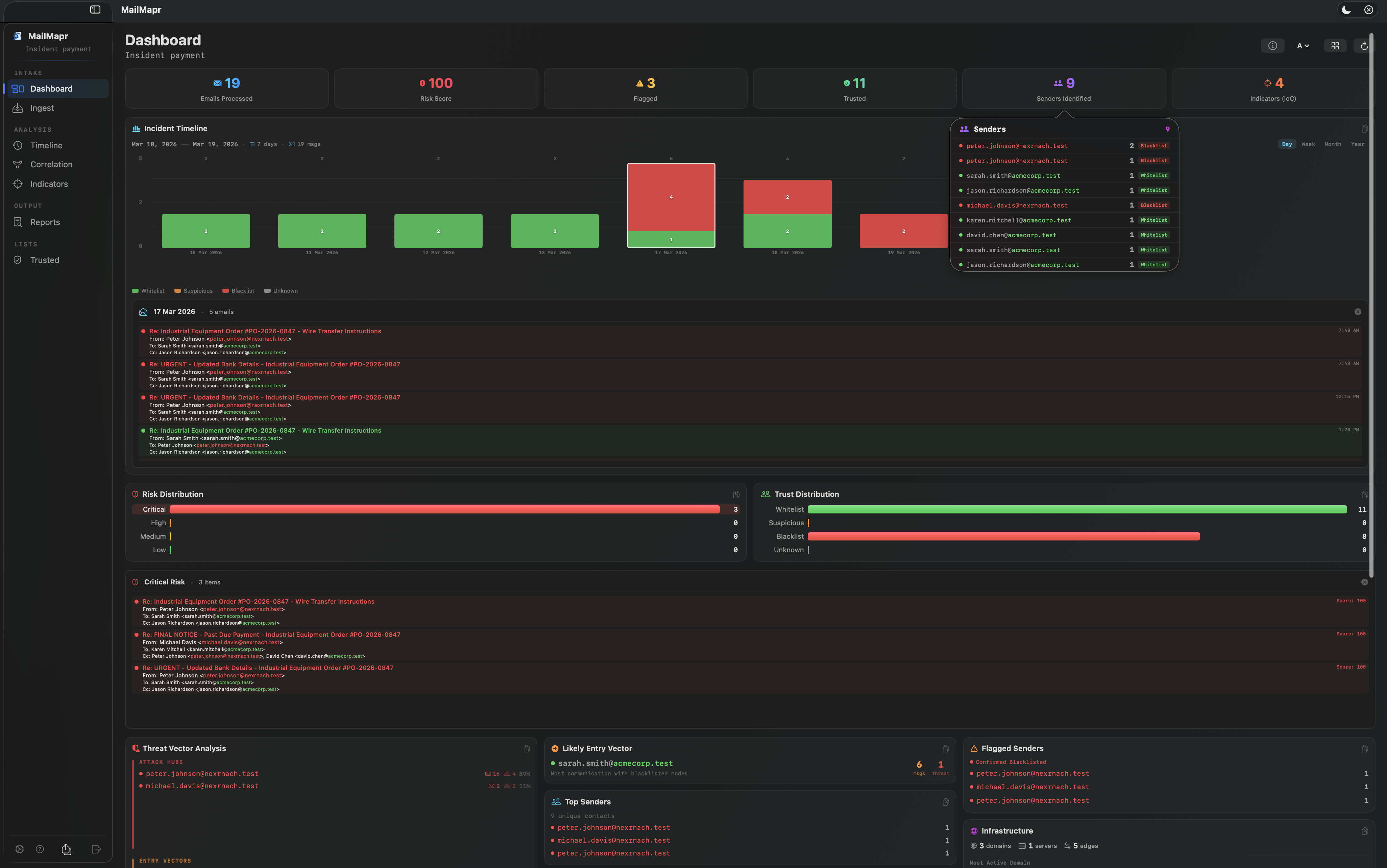
Automatic risk scoring (0–100) per email. Detect header spoofing, domain mismatches, authentication failures (SPF, DKIM, DMARC), and suspicious patterns.

Trust Color Coding

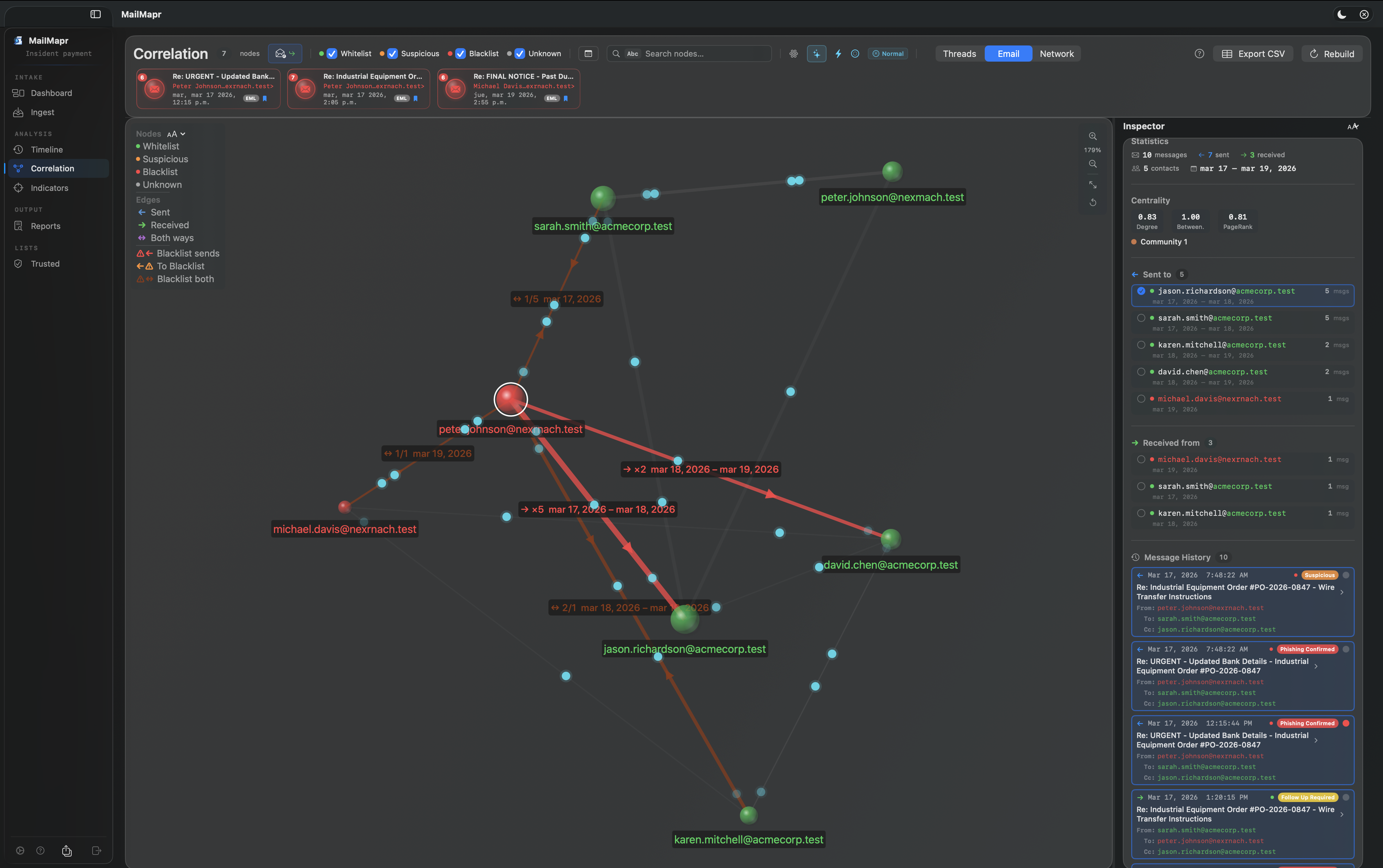
Emails, domains, and IPs color-coded by trust: green (whitelist), orange (suspicious), red (blacklist). Instant visual threat assessment.

Timeline Analysis

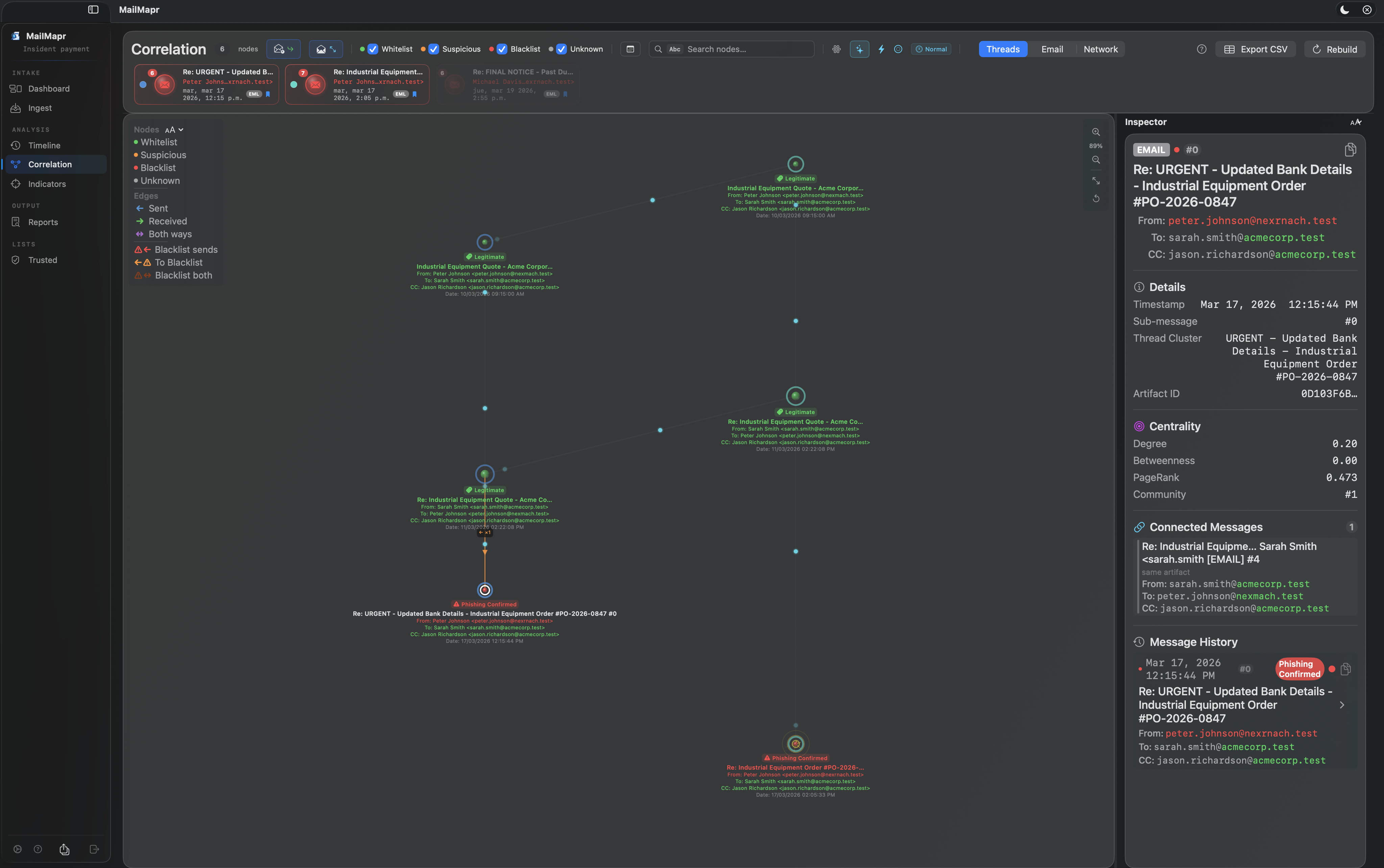
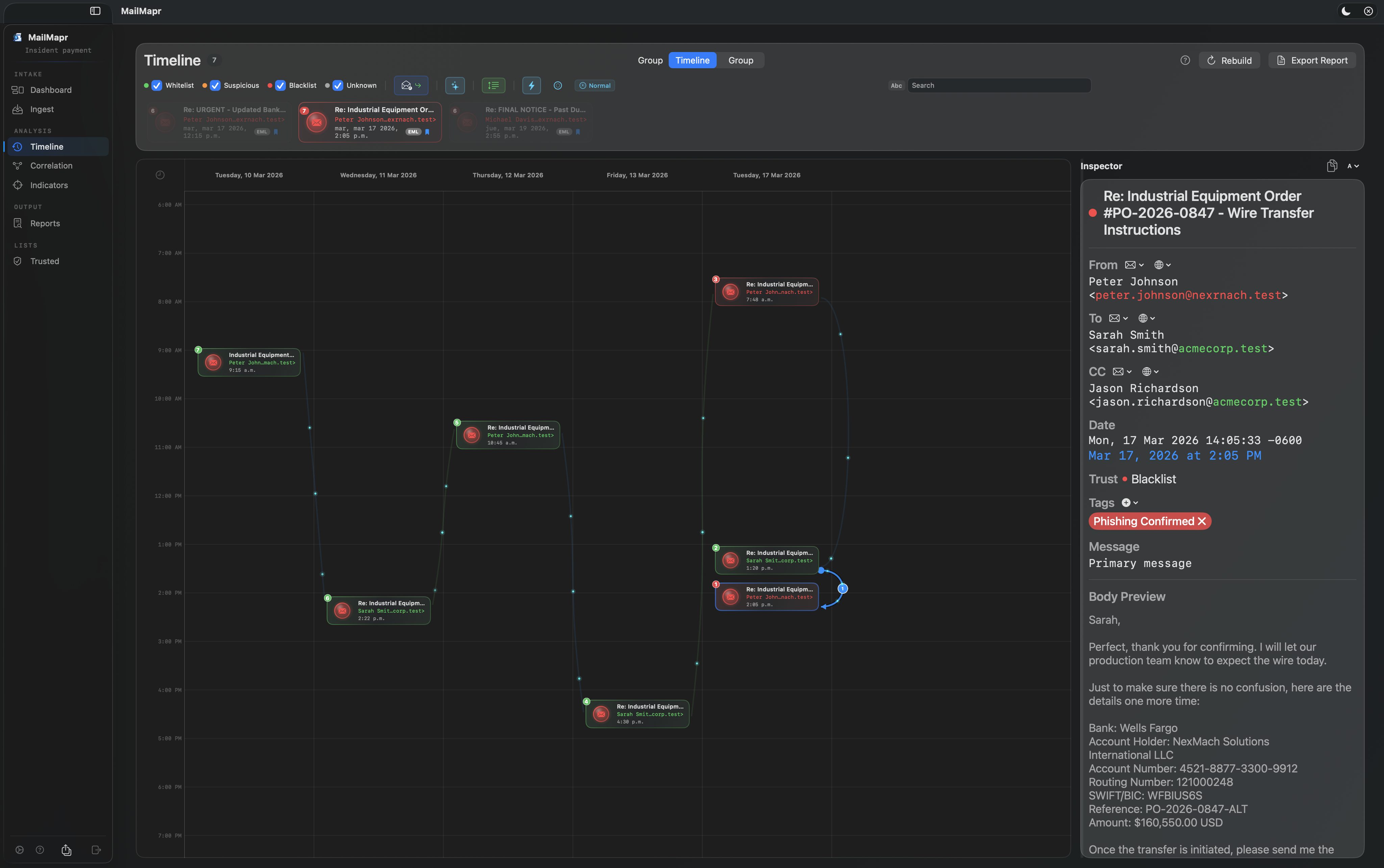
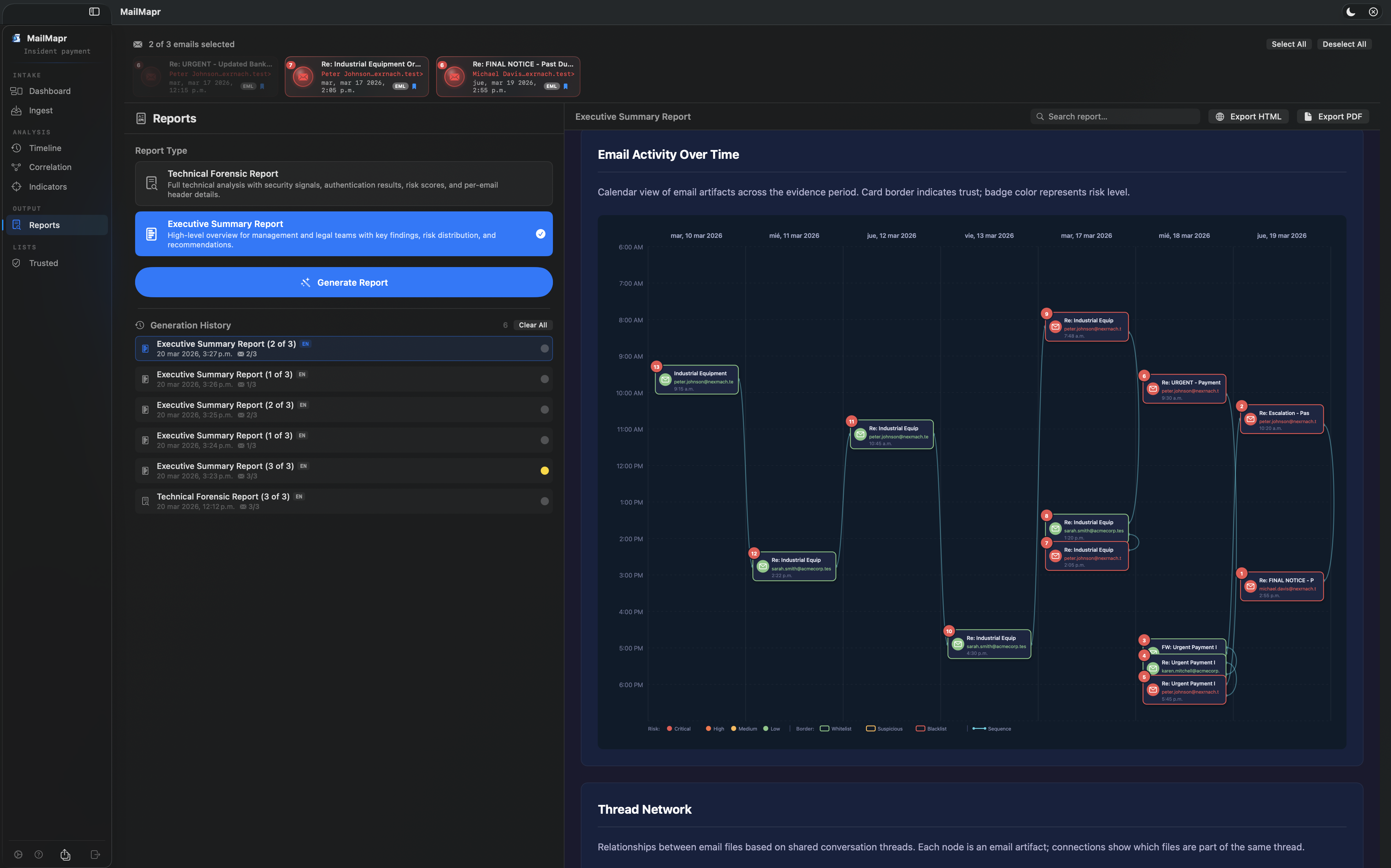
Visualize email communication patterns over time. Identify anomalies, timeline gaps, and correlate events across an incident.

Network Graph

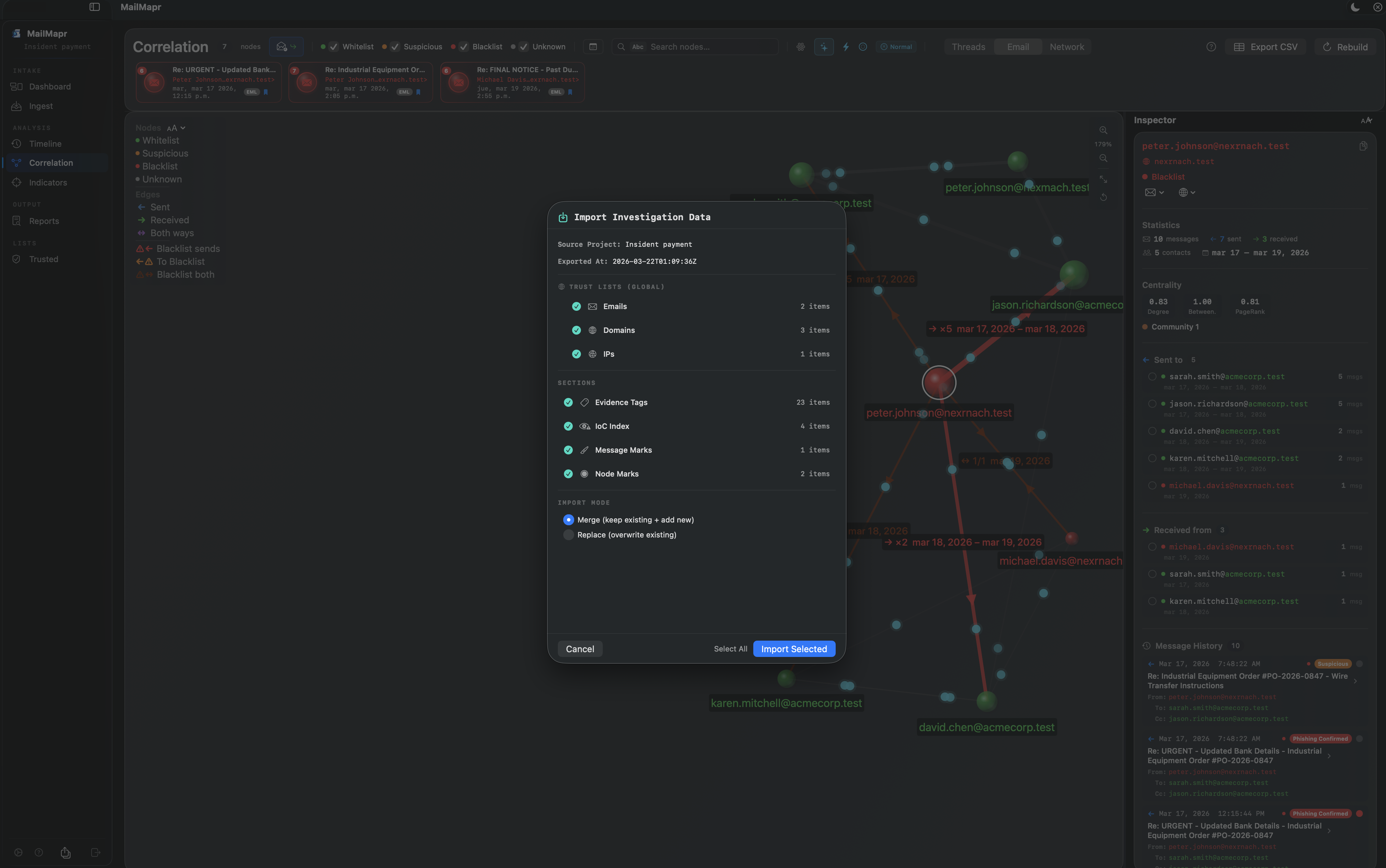
Map communication relationships between all addresses. Detect communities, identify attack hubs and entry vectors visually.

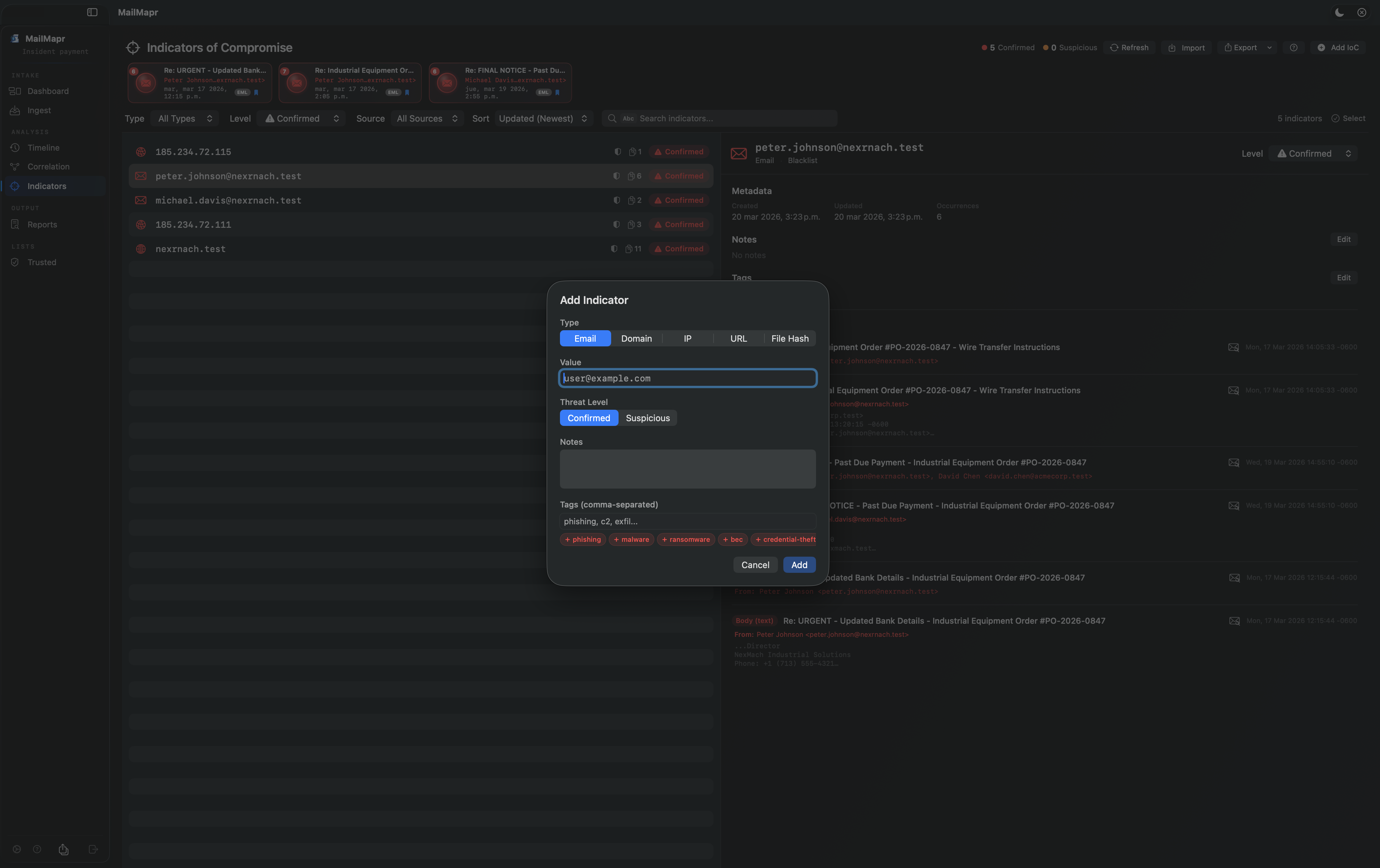
Indicators of Compromise

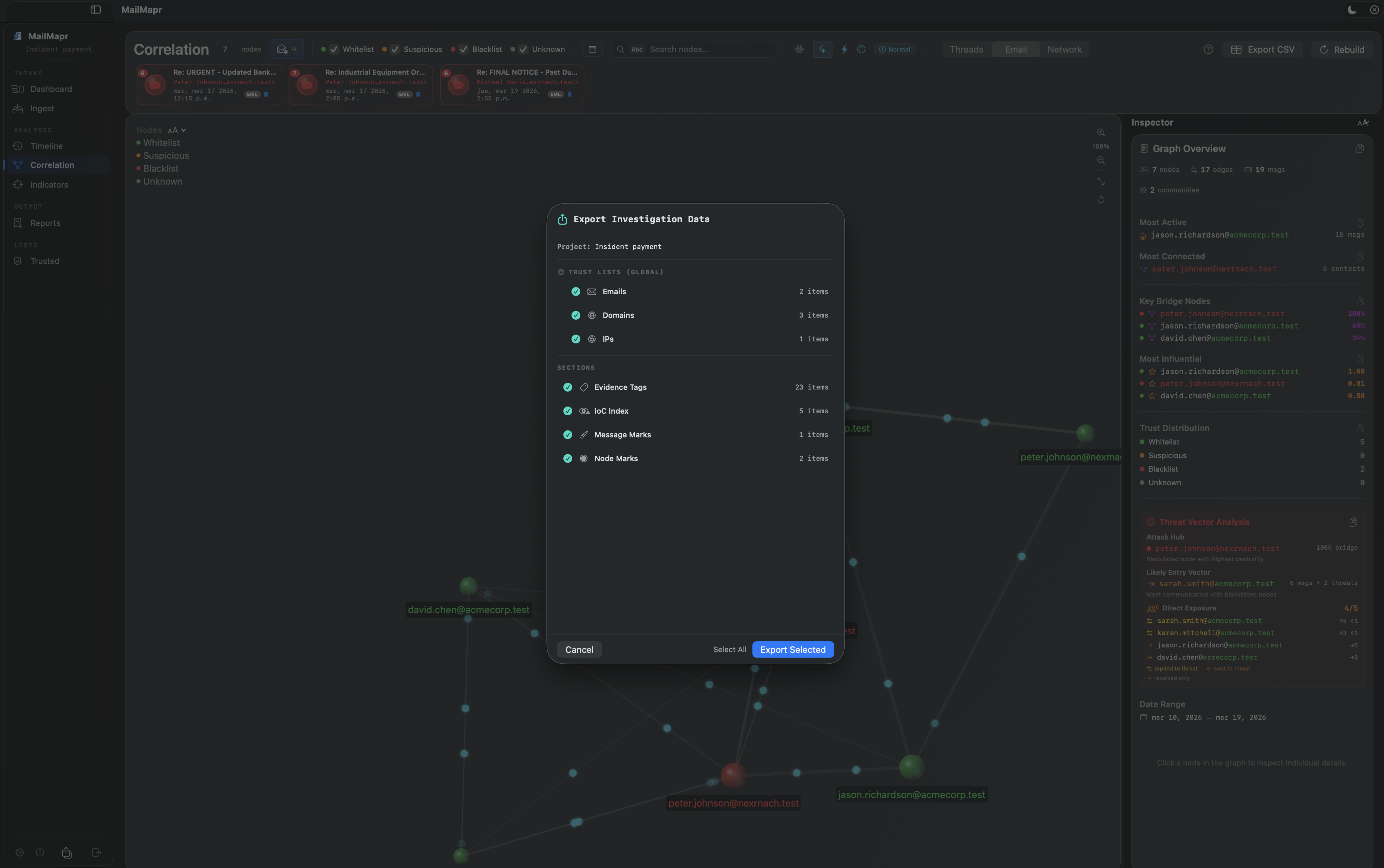
Track malicious emails, domains, and IPs as IoCs. Record threat level, source, and occurrences. Export for threat intelligence sharing.

Professional Reports

Generate Technical Forensic and Executive Summary reports. Full email analysis, risk breakdown, trust distribution, and per-incident details.

Cross-Incident Correlation

Identify recurring contacts across multiple investigations. Detect coordinated attacks spanning different cases and timeframes.

Privacy First

100% offline analysis. No data leaves your Mac. No cloud, no accounts, no tracking. App Sandbox protected. Your evidence stays yours.

4
Email formats supported
3
Report types
2
Languages
0
Data sent to cloud

App Preview

Watch MailMapr in action

Dashboard & Analysis Project dashboard, risk distribution, trust analysis, and threat vector overview.
Correlation & Timeline Email network graphs, thread correlation, and timeline analysis.
Reports & Investigation Forensic reports, IoC tracking, and email investigation workflow.

See It in Action

Click any screenshot to enlarge

How It Works

From email import to forensic report in four steps

1

Create a Project

Organize your investigation by creating a project. Each project keeps evidence, analysis, and reports separate and self-contained.

2

Import Evidence

Drag and drop EML, MSG, or MBOX files into the Ingest module. MailMapr parses headers, body, attachments, and metadata automatically. Use Quick View to inspect files without a project.

3

Analyze & Investigate

Review phishing risk scores, SPF/DKIM/DMARC results, and trust color coding. Use Timeline, Correlation graphs, and Indicators to map the full attack picture.

4

Generate Reports

Export Technical Forensic or Executive Summary reports as HTML or PDF. Share findings with management, legal teams, or incident responders.